Create a Basic Alert
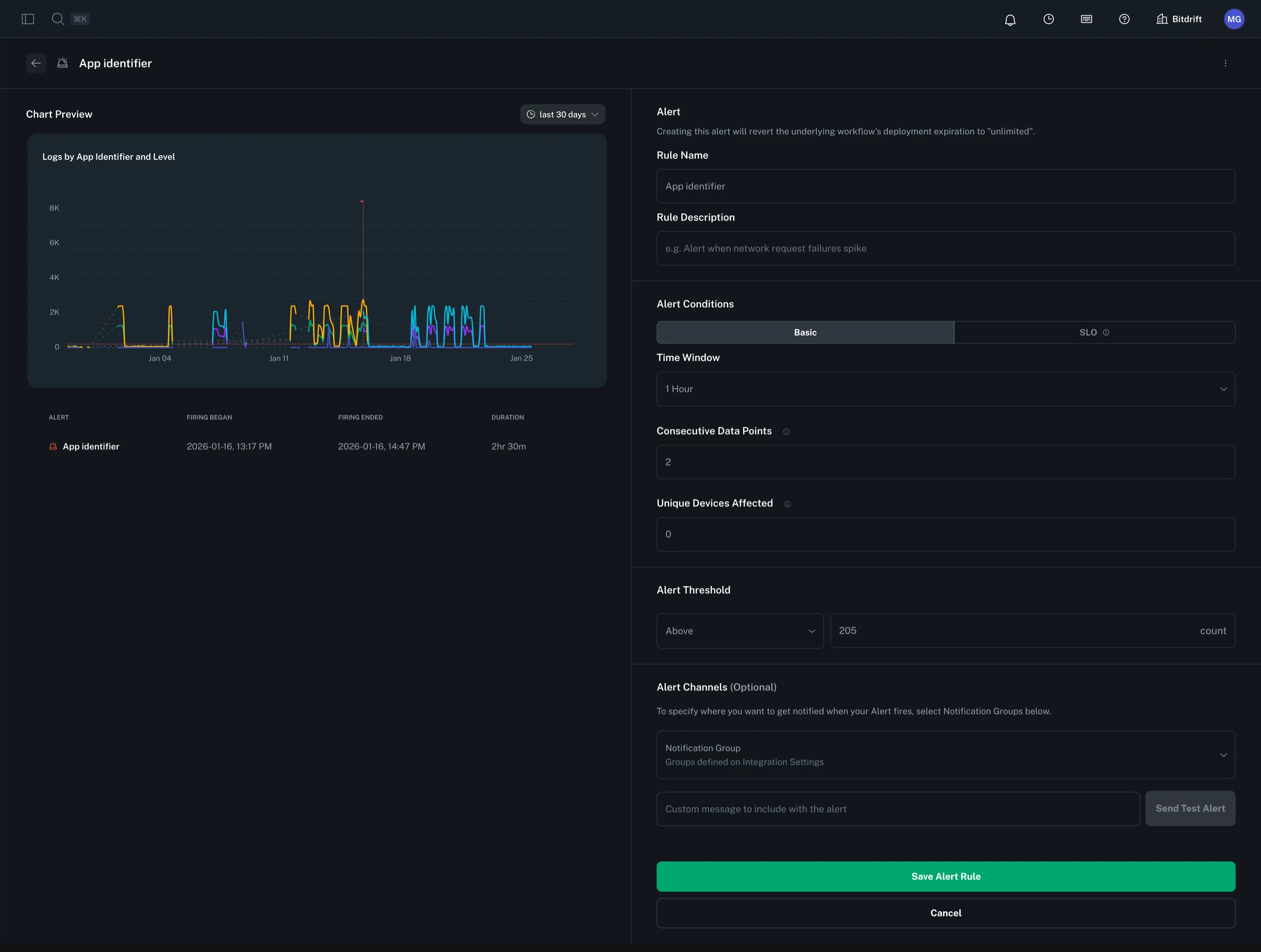
To create an alert, click on the options button of any workflow-powered Plot Chart. Configure the alert by providing a rule name, description, time window, and threshold. Then, select a notification group to determine where alerts will be sent.
Advanced Alert Configuration
Consecutive Data Points
The consecutive data points setting determines how many sequential data points must breach the threshold before an alert fires. The aggregation window of each point depends on the evaluation window:
- 5 minute and 1 hour evaluation windows: 1 minute aggregation window
- 24 hour evaluation window: 15 minute aggregation window
If not specified, this defaults to 1 (alert fires on the first breach).
Unique Devices Threshold
The unique devices threshold is an optional setting that adds an additional condition for alert firing. When specified, the alert will only trigger if at least the specified number of unique devices are affected in each consecutive data point that breaches the threshold.
Note: This field is optional. If left unspecified, the alert will fire based solely on the threshold and consecutive data points criteria, regardless of how many unique devices are affected.